Before you buy a domain name, run seven checks. Is it free? Is it safe to use? What was it used for? How does it sound? What does it cost to renew? Is the extension right? Are the handles free? Each check takes a few minutes, and together they can save you from an expensive mistake.
Why check before you buy a domain name?
A domain name is hard to change once people know it. You print it on cards, put it in emails and teach it to customers. So a bad choice costs more with every month that passes.
The good news is that most problems are easy to spot early. A short list is enough. Use the one below, and tick off each item before you pay. It also works for names you already own, when you want to double-check an old choice.
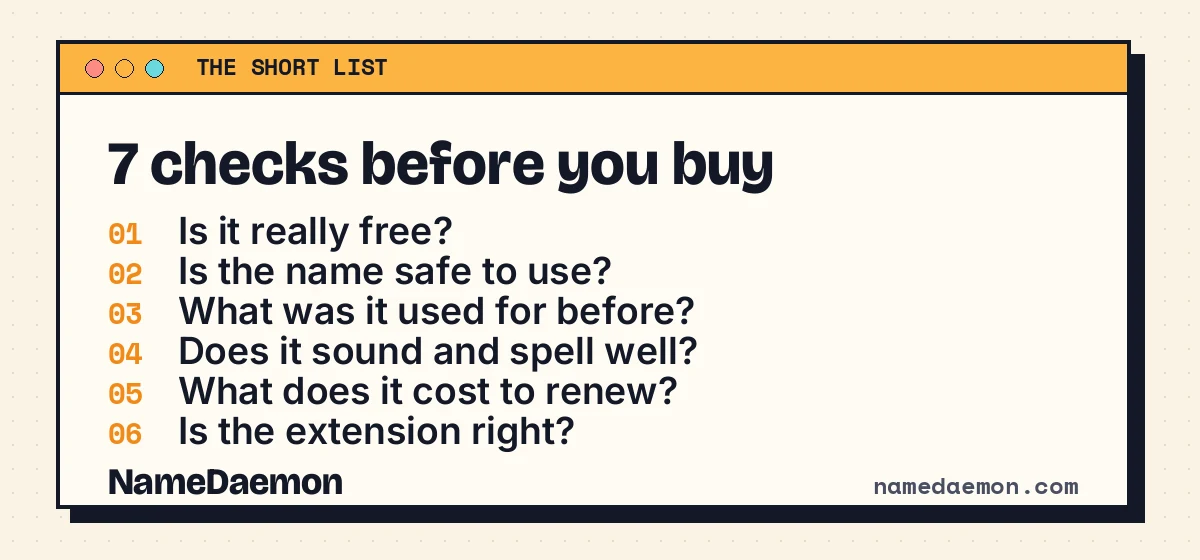
The first four checks before you buy a domain name
- Is it really free? A name that is missing from a list may still be registered, for example without nameservers. Ask the registry directly with the Availability Checker. It runs a live RDAP check.
- Is the name safe to use? A free name can still match someone else’s brand. Search the US trademark database for the words you plan to use. A close match can lead to a dispute later.
- What was it used for before? A used domain can carry a bad past. It may have sent spam or landed on a blocklist. The Domain Audit shows its history, and the Wayback Machine shows old versions of its pages.
- Does it sound and spell well? Say it aloud to a friend. Then ask them to write it down. If they struggle, your customers will too. The Domain Score rates length and readability, and the Domain Screener warns about unwanted meanings.
The last three checks before you buy a domain name
- What will it cost to renew? Many extensions are cheap in year one and costly later. A .com renews at a steady price, but others can jump. The Domain Cost Calculator shows the real multi-year cost.
- Is the extension right? The .com is still the safest choice for most businesses. Other extensions can work, but they need more explaining. Our post on .com vs .net vs .org vs .io compares them.
- Are the handles free too? People will look for you on social networks. If your name is taken on the main ones, you may want a different name. The Handle Matcher checks developer sites and social networks in one step.
Mistakes people make with these checks
Most buyers skip a check because they are in a hurry. That is when problems start. Here are the three mistakes we see most often:
- Trusting the first-year price. A low price in year one can hide a high renewal price.
- Skipping the history. A name with a bad past can hurt your email for months.
- Falling for the look-alike. A name that looks right on screen can be easy to misspell when spoken.
None of these takes long to avoid. Add them to your list and you are ahead of most buyers. If you buy for a client, share the list with them, so they see the work behind your choice.
How to buy a domain name once it passes
When the name passes all seven checks, act quickly. A good name can go within hours. Here is what to do:
- Pick a trusted registrar and compare the renewal price, not only the first-year price.
- Turn on the transfer lock and auto-renew, so nobody can move the name and you never lose it by accident.
- Keep your contact email current. Renewal reminders go there.
Then write the renewal date in your calendar. A missed renewal is the most common way people lose a name.
A one-minute summary
If you only have a minute, remember the order. First, confirm that the name is free. Next, check the trademark and the history. Then say it aloud. Last, look at the cost and the extension.
The whole list takes about twenty minutes. That is a small price for a name you will use for years. If a name you want is taken today, you can watch it for free from the Drop Calendar. NameDaemon Pro does the watching for many names at once.